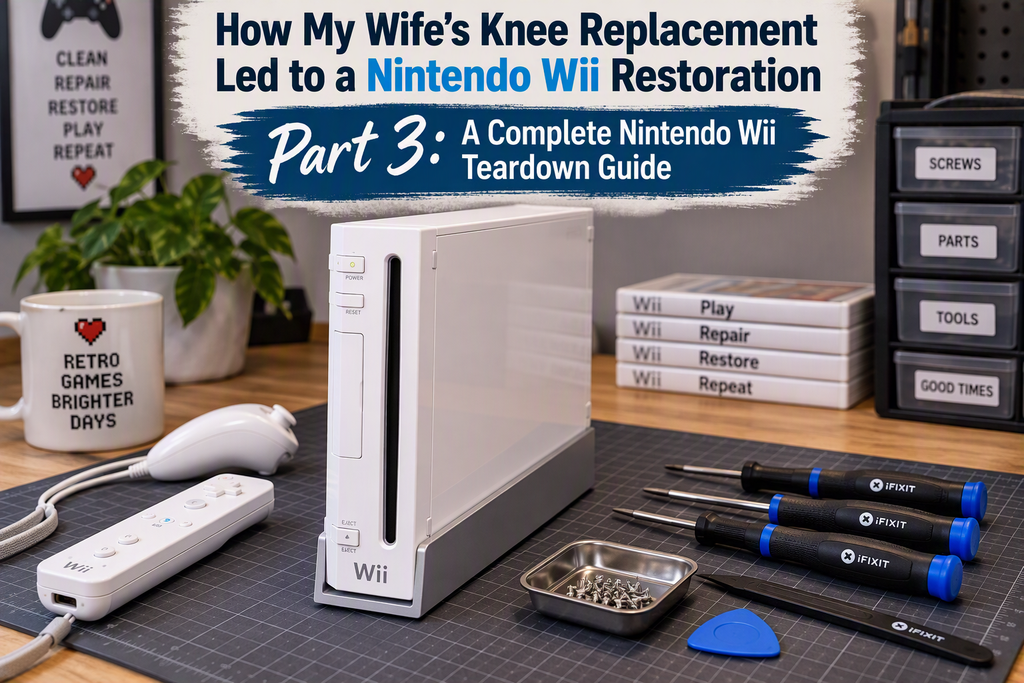
Now that I have all the necessary hardware to support the restoration project, it’s time to start tearing down the Wii. Before getting started, I spent some time researching the process and found that iFixit provides an excellent teardown guide.
In this post, my aim is to build on that guide by adding additional detail about how the various components are assembled and, importantly, which screws are used at each stage. As expected, Nintendo employed a variety of security screws in an effort to make disassembly and modification of the Wii a little more challenging.
Tools of the Trade
Before diving into the teardown, it’s worth gathering the right tools for the job. While the Nintendo Wii isn’t particularly difficult to disassemble, Nintendo’s use of proprietary security screws means that a standard screwdriver set won’t be enough.
The most important tool is a Y1 Tri-Point (Tri-Wing) screwdriver, which is required to remove the console’s security screws. You’ll also need a Phillips #00 or #0 screwdriver for the internal screws that secure the metal shielding, disc drive, and various logic board covers.
A spudger or plastic pry tool is highly recommended for safely disconnecting ribbon cables and releasing plastic clips without damaging delicate connectors or surrounding components. Tweezers or a hobby knife are useful for lifting the rubber feet and adhesive stickers that conceal several of the Wii’s hidden screws.
Finally, a long-shaft screwdriver or screwdriver extension is invaluable. Many of the Tri-Point and Phillips screws are recessed deep within narrow screw channels, making them difficult to reach with a standard-length driver.
With these tools at hand, you’ll be well prepared to dismantle the Wii safely and avoid damaging its ageing plastic and delicate internal components.
Removing the GameCube Controller Faceplate
Begin by opening the two hinged covers that conceal the GameCube controller ports and memory card slots. These covers can then be gently lifted away from the console, providing access to the controller faceplate.
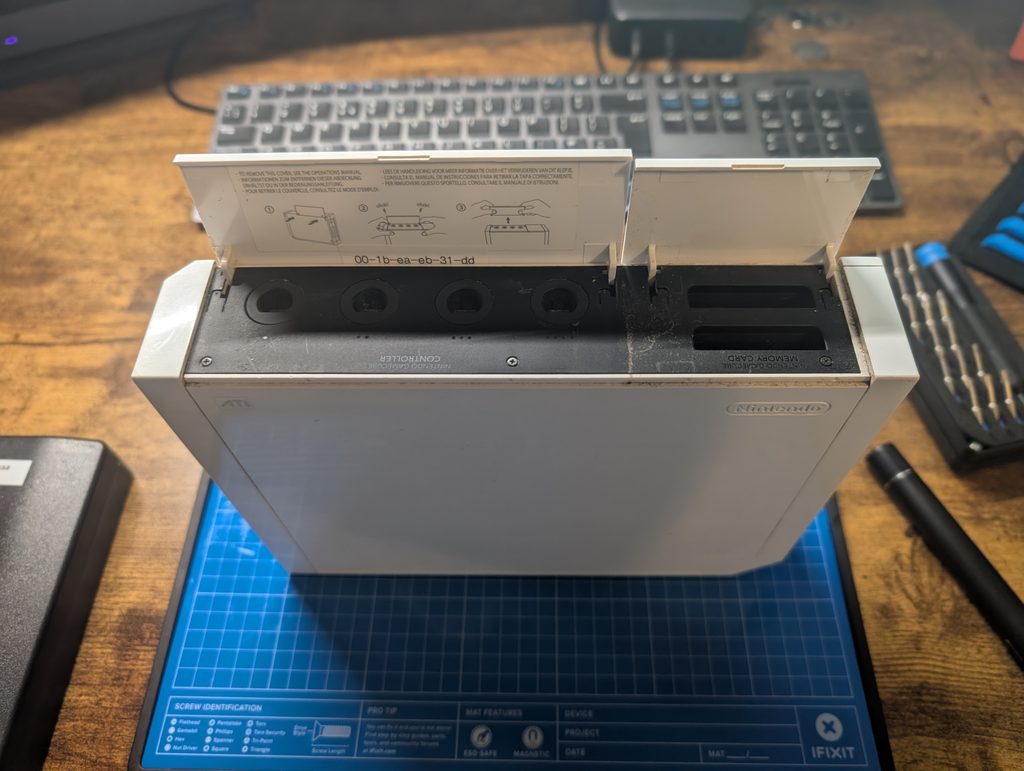
With the covers removed, you’ll find three screws securing the GameCube controller faceplate in place. Their locations are highlighted in the image below. Remove these screws and set them aside safely, as they will be required during reassembly.
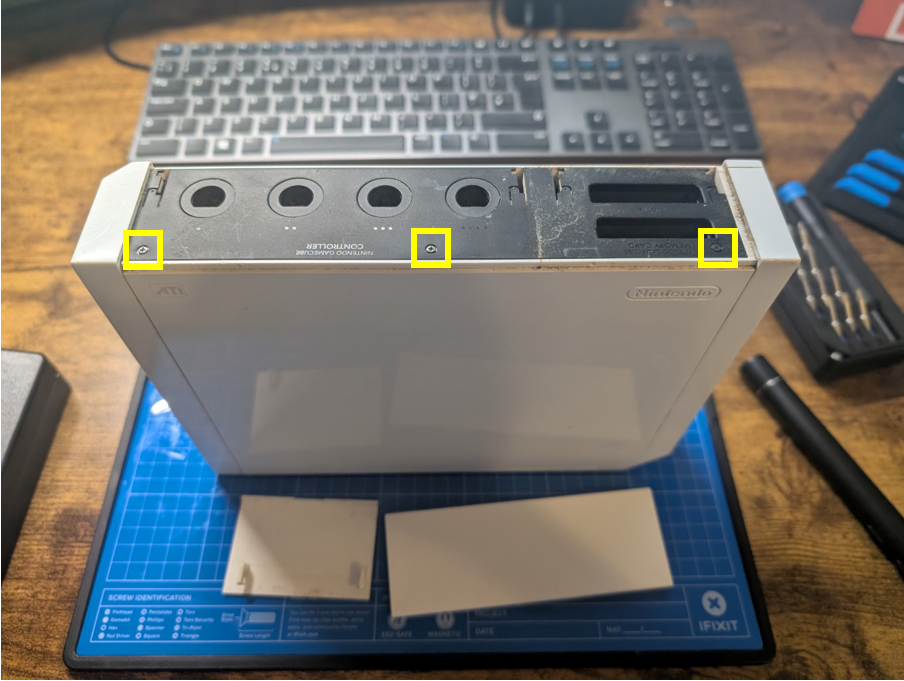
Take particular care with the screw located on the left-hand side, as it is slightly longer than the other two. Mixing it up during reassembly can make it difficult to seat the faceplate correctly, so it’s worth setting it aside separately or noting its position before proceeding.
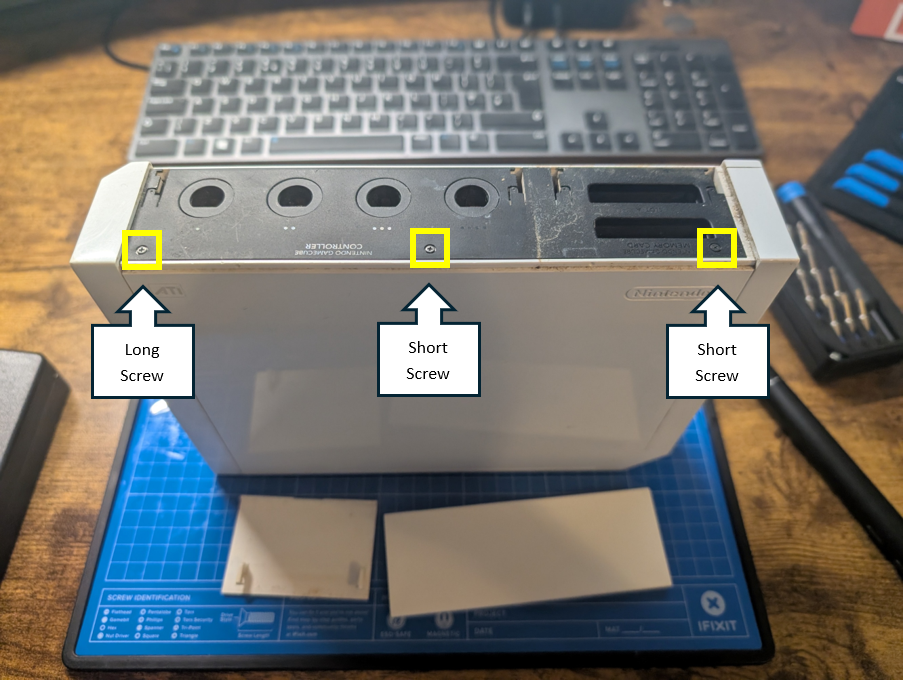
Once the screws have been removed, gently lift the GameCube controller faceplate and slide it slightly to the right to release it from the console housing. With the faceplate out of the way, the first of several hidden fasteners is revealed. This is a classic example of Nintendo’s design philosophy, concealing screws behind removable panels and cosmetic covers to preserve the Wii’s clean and minimalist exterior while making disassembly a little more involved.
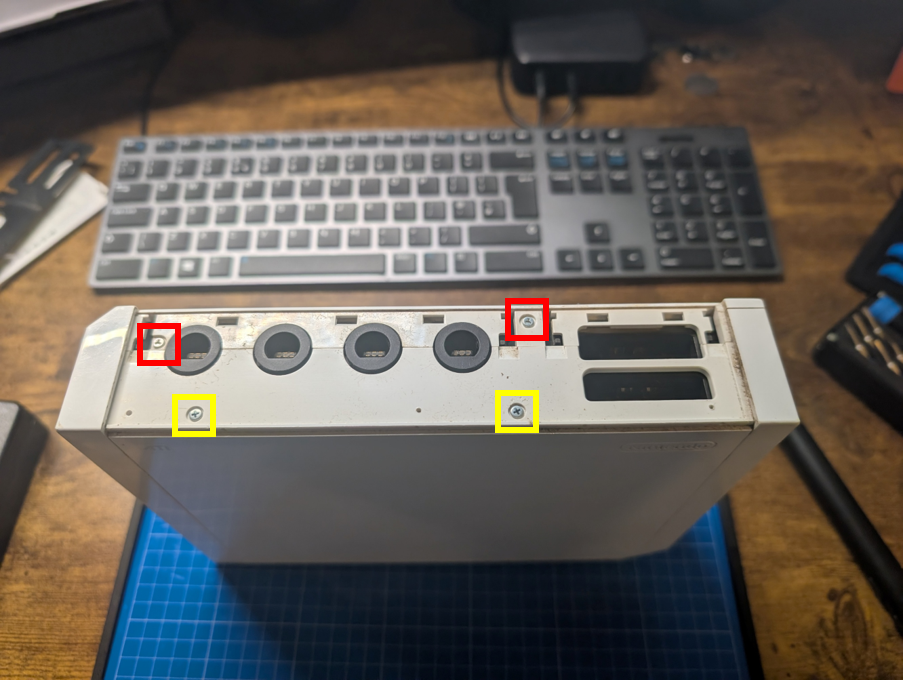
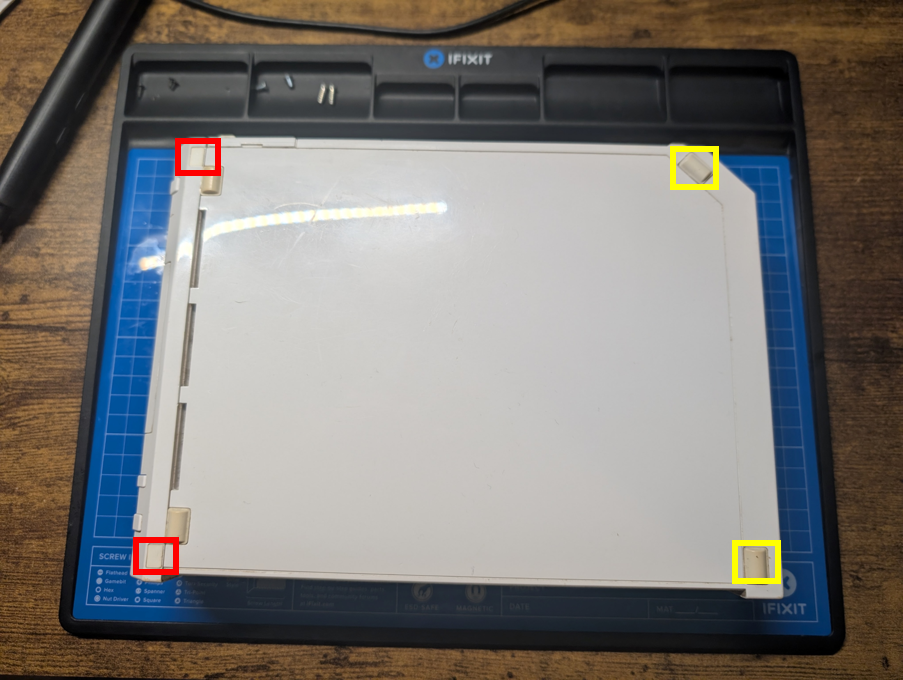
The two screws marked with red borders in the image below are Nintendo’s proprietary Tri-Point (Tri-Wing) security screws and must be removed using a Y1 Tri-Point screwdriver. The screws highlighted with yellow borders are standard Phillips-head screws, which can be removed with a Phillips #00 or #0 screwdriver.
As you remove the screws, take note of their differing lengths. The two upper Tri-Point screws are noticeably longer than the Phillips screws located below them. Keeping the screws organised during disassembly will make reassembly much easier and help ensure that each screw is returned to its correct position.
Next, carefully flip the Wii over so that the rubber feet highlighted with the yellow borders are facing towards you. Using a plastic pry tool or similar implement, gently lift and remove the two rubber feet. Underneath, you’ll find two deeply recessed silver Tri-Point (Tri-Wing) security screws hidden within the case.
While working on the underside of the console, gently open the two covers highlighted with the red borders. These conceal an additional pair of fasteners, revealing two black Tri-Point (Tri-Wing) security screws that must also be removed.
With the underside screws removed, position the Wii on its side so that the serial number label is facing upwards. Locate the CR2032 battery compartment cover, highlighted with a yellow border, which houses the console’s internal clock battery.
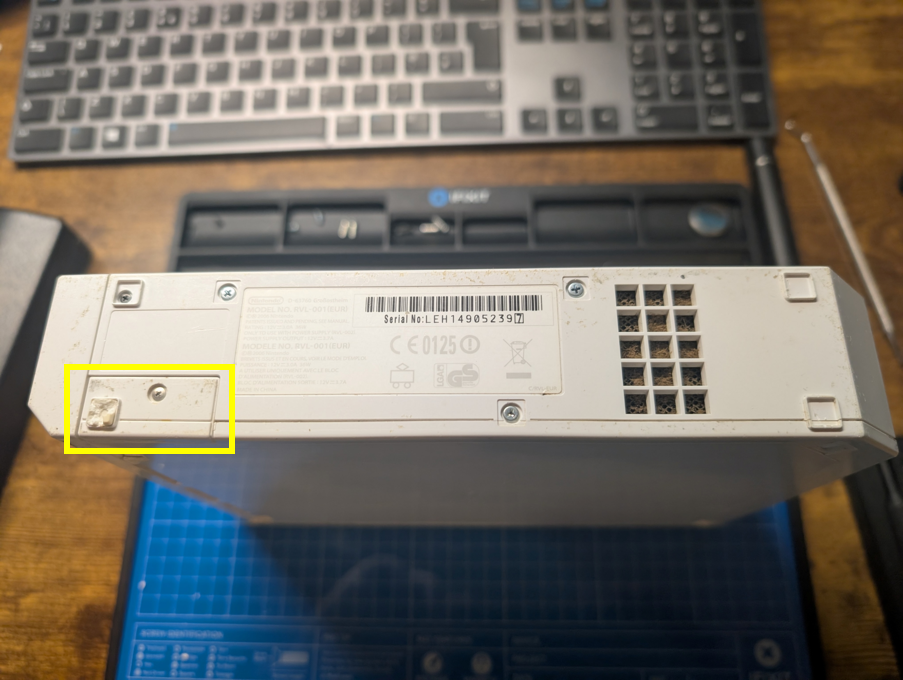
Using a Phillips screwdriver, carefully loosen the retaining screw that secures the cover in place. The screw remains captive within the cover, so it does not need to be removed completely. Once loosened, lift away the battery compartment cover to expose another hidden section of the Wii’s casing and continue the disassembly process.
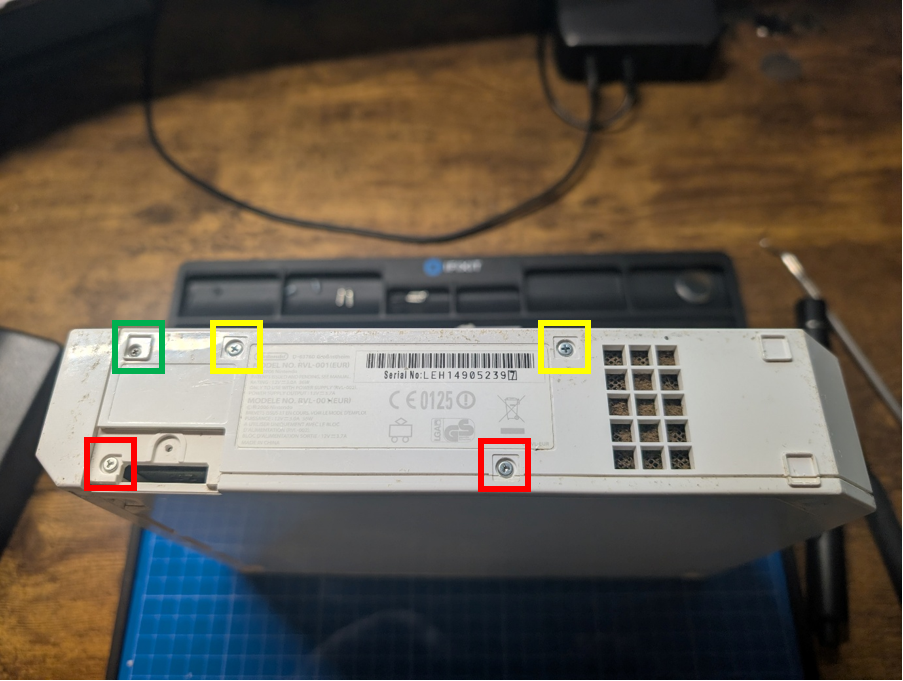
After removing the battery compartment cover, you’ll gain access to five additional screws that secure the outer casing. As shown in the image below, the screw highlighted with the green border is a small black Tri-Point (Tri-Wing) security screw.
The two screws highlighted with yellow borders are standard Phillips-head screws, while the two screws marked with red borders are silver Tri-Point (Tri-Wing) security screws. Be sure to note the different screw types and lengths as you remove them, keeping them organised to simplify reassembly later.